Optimize your LinkedIn profile first using the Profile Optimization tool before exporting. A well-structured LinkedIn profile produces a more complete resume with fewer gaps to fill manually.
Export Profile to Resume converts your LinkedIn profile data into a NxtJob resume in a single click. Instead of retyping your work history, education, and skills, the extension pulls structured data directly from LinkedIn and populates a new resume in the Resume Builder. This is a Premium feature that works best when your LinkedIn account is connected to NxtJob.

How to Export

1

Visit your LinkedIn profile

Navigate to your own LinkedIn profile page in Chrome.
2

Open the extension sidebar

The NxtJob sidebar opens automatically with the Profile Optimization panel. You will see the Export Profile to Resume button (green) at the top of the sidebar, next to the LinkedIn Connected indicator.
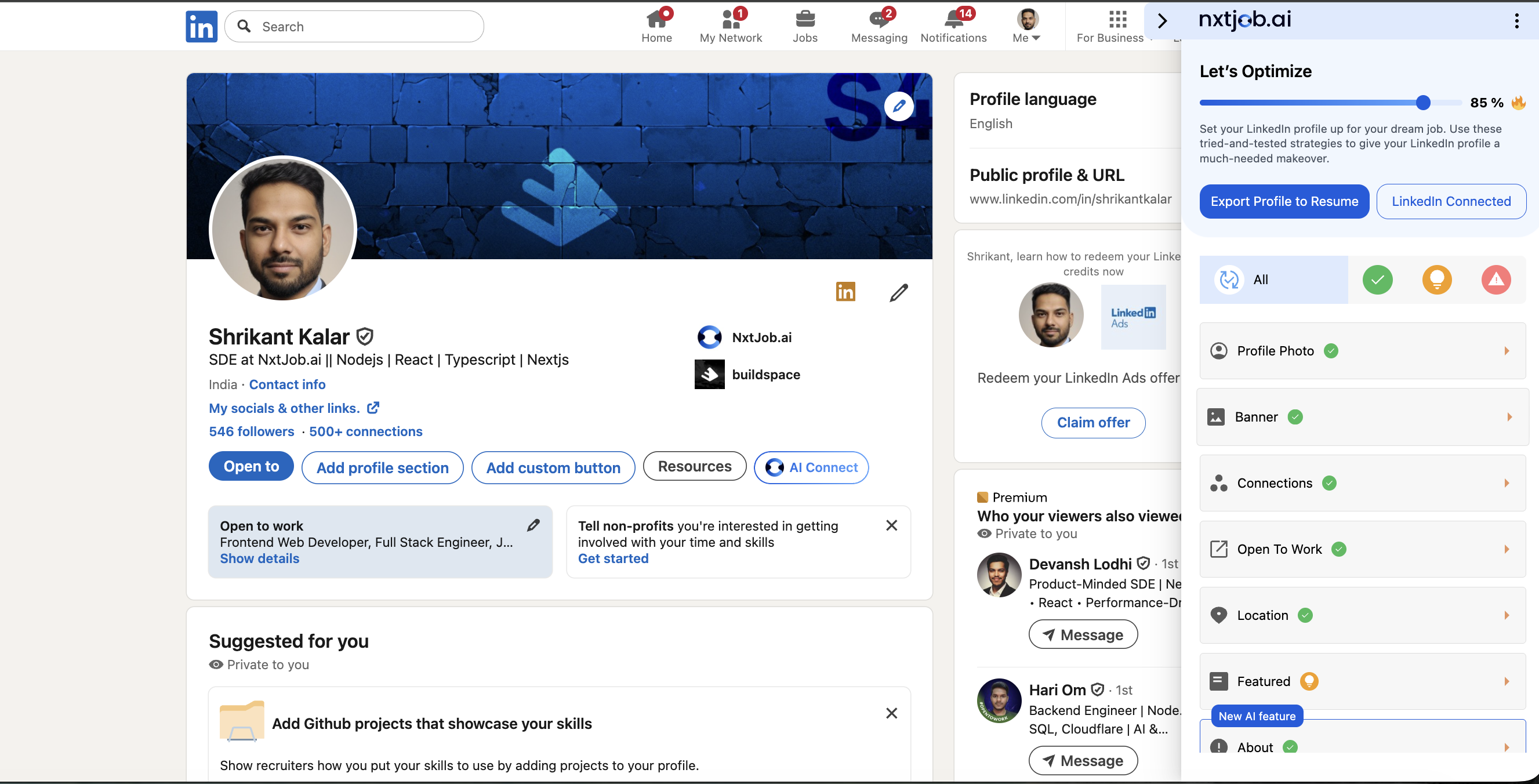
Extension sidebar showing Export Profile to Resume green button next to LinkedIn Connected indicator
3

Click Export Profile to Resume

Click the button. The extension immediately begins extracting your profile data.
4

Wait for the transfer

The extension sends your structured profile data to the Resume Builder. This takes a few seconds.
5

Review your new resume

A new resume opens at resume.nxtjob.ai with your LinkedIn data pre-filled across all supported sections.

What Gets Exported

The extension maps each LinkedIn section to the corresponding section in the Resume Builder:
LinkedIn SectionResume Builder Section
NamePersonal Information (Full Name)
HeadlineProfessional Summary / Headline
AboutProfessional Summary
ExperienceWork Experience
EducationEducation
SkillsSkills
CertificatesCertifications
VolunteeringVolunteer Experience
LocationPersonal Information (Location)
LinkedIn URLPersonal Information (LinkedIn URL)

After Export

Once the resume opens in the Resume Builder, you can:
  • Edit and refine each section using the builder interface
  • Run a Resume Score check to identify areas for improvement
  • Use AI features to enhance bullet points and summaries
  • Customize the resume for specific job applications
For a full overview of everything available after export, see the Resume Builder introduction.
Export creates a new resume each time. If you have already exported and want to update specific sections, edit the existing resume directly in the Resume Builder rather than exporting again.