

AI Connect: Adding LinkedIn Connections
AI Connect lets you add LinkedIn connections directly to your NxtJob networking pipeline. When you visit someone’s LinkedIn profile, the extension provides tools to track the connection, categorize their role, and link them to a specific job or company.Where AI Connect Appears
AI Connect is available in two places on LinkedIn:- On a LinkedIn profile page — An “AI Connect” button appears next to the “More” button in the profile action bar (a blue button with a sparkle icon). The extension sidebar also opens alongside the profile, showing the person’s details, activity, about section, industry info, and an “AI Connect” button at the top.
- From LinkedIn search results — Available via the extension sidebar when browsing profiles in search.
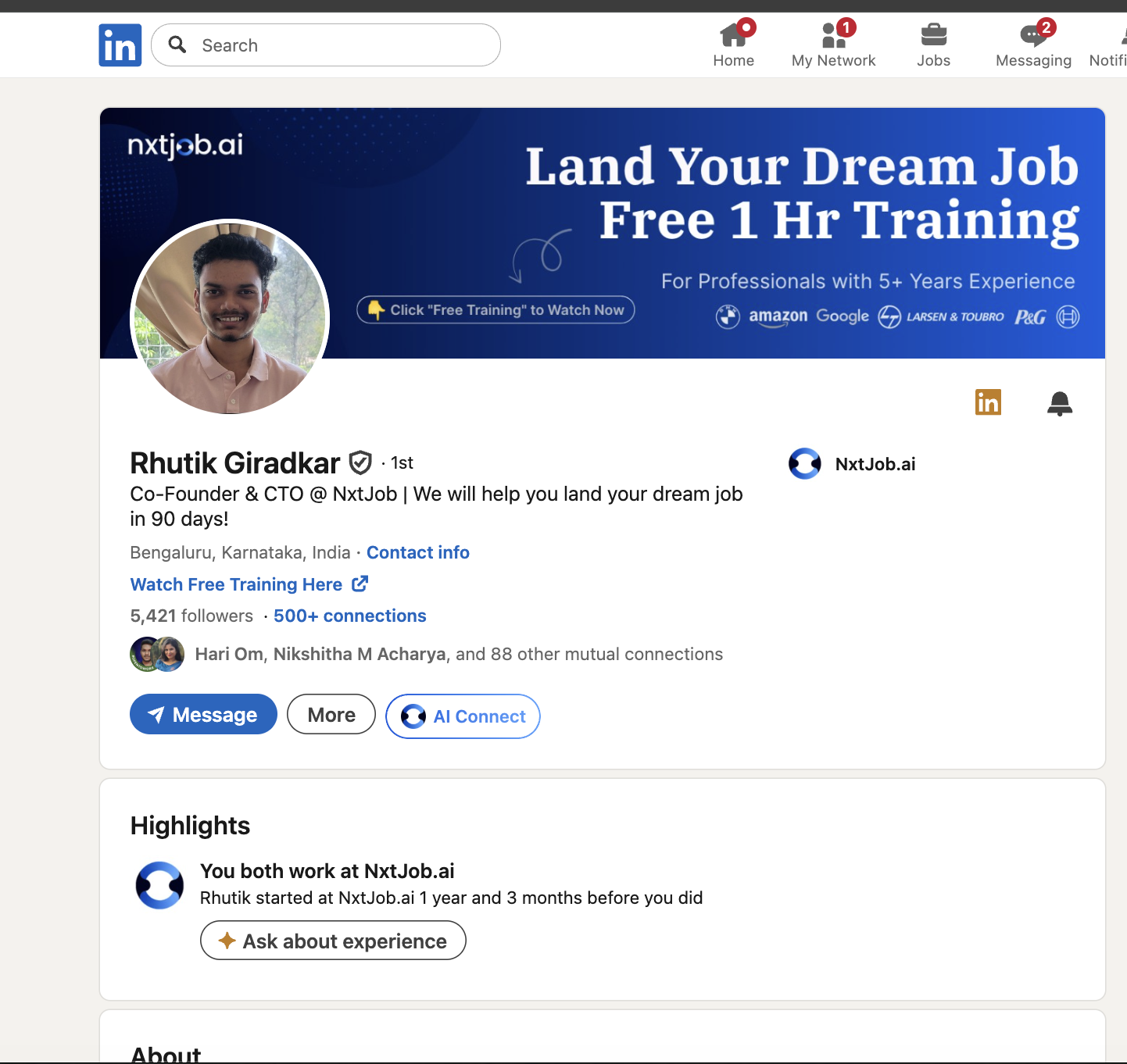
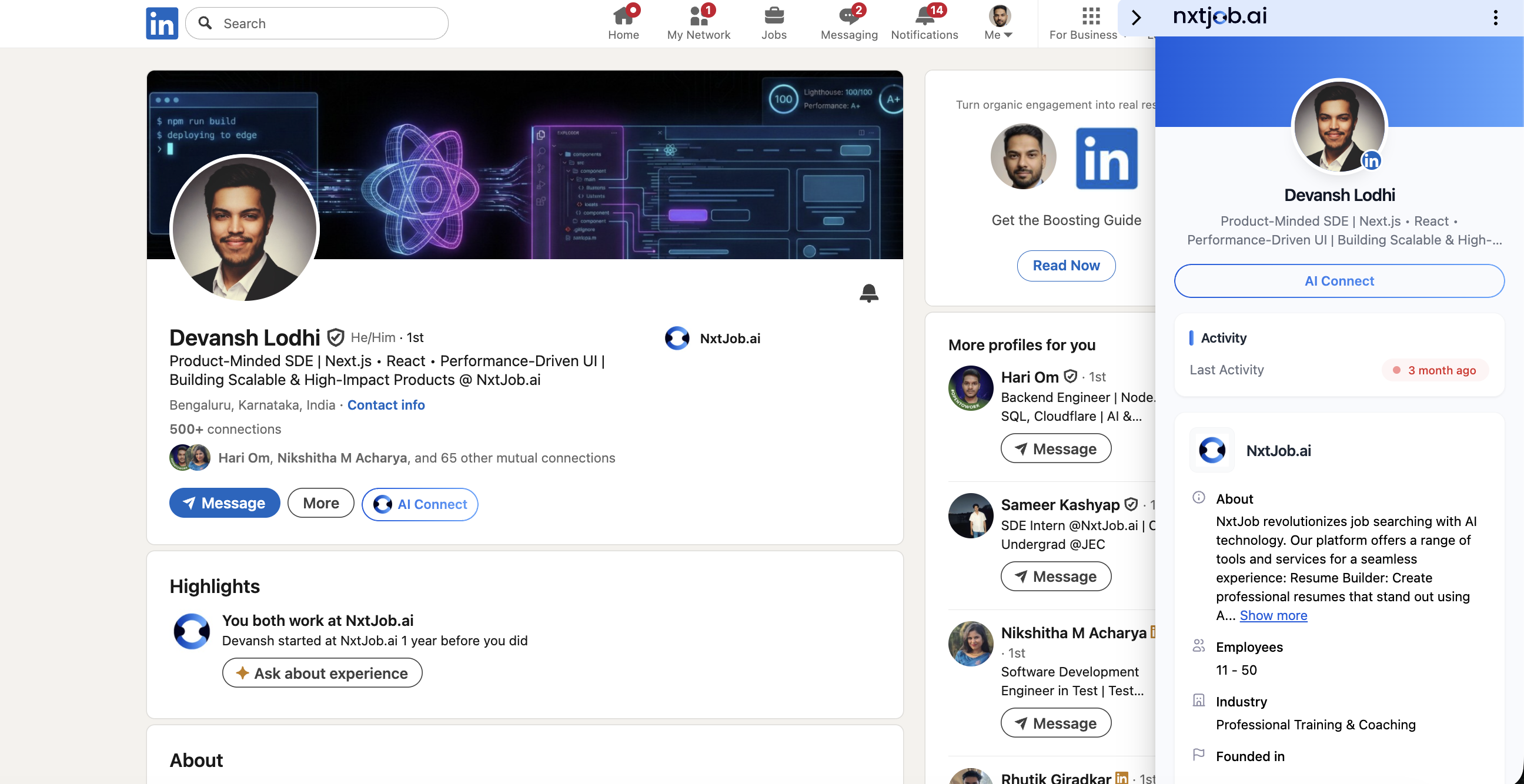
The Extension Sidebar on LinkedIn Profiles
When you visit someone else’s LinkedIn profile, the extension sidebar displays the following information:- The person’s name, title, and headline at the top
- An “AI Connect” button
- Activity section showing their last activity date
- About section with the person’s or company’s description
- Employees count
- Industry info
- Founded in date (for company profiles)
Track Connection Modal
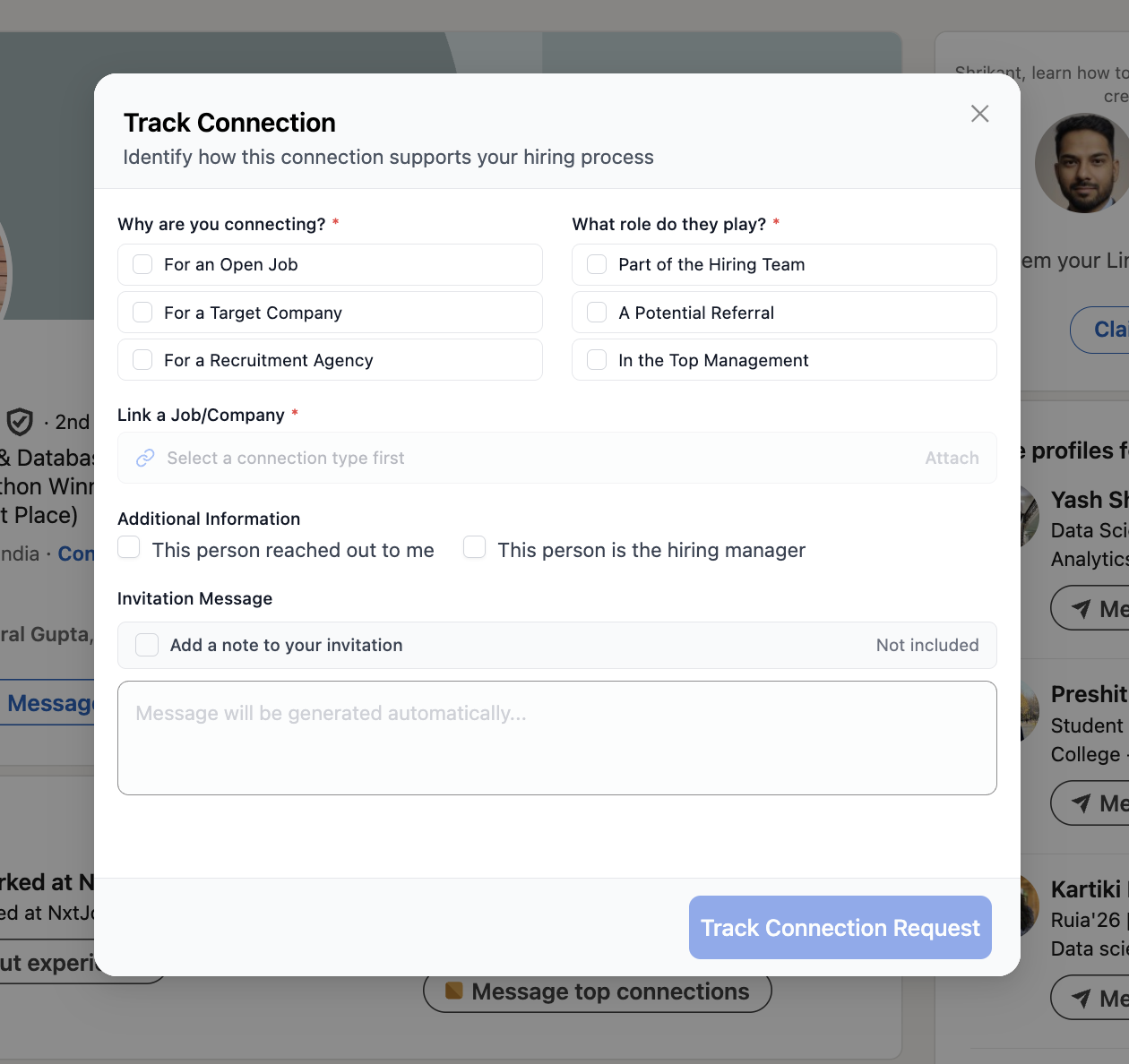
Clicking “AI Connect” opens the Track Connection modal. Complete the following fields before submitting:
At the bottom of the modal, the “Track Connection Request” button submits the form. A “Message top connections” link is also available for bulk outreach.
Adding a Connection via AI Connect
1
Visit the person's LinkedIn profile
Navigate to the LinkedIn profile of the person you want to connect with.
2
Click AI Connect
Click the “AI Connect” button — either on the profile page next to the “More” button, or in the extension sidebar.
3
Select why you are connecting
In the Track Connection modal, choose one of the three options: For an Open Job, For a Target Company, or For a Recruitment Agency.
4
Select what role they play
Choose the person’s role in your job search: Part of the Hiring Team, A Potential Referral, or In the Top Management.
5
Link a job or company
Optionally search for and select a specific job or company from your pipeline to associate with this connection.
6
Add additional information
Use the checkboxes to note relevant context — for example, whether this person reached out to you first or whether they are the hiring manager.
7
Review the invitation message
Review the auto-generated invitation message or write your own. If you leave the field empty, the platform generates a message based on the connection category and role type you selected.
8
Click Track Connection Request
Submit the form. The connection is added to your My Networks board and the connection request is queued.
Add Target Company from LinkedIn
When you visit a company’s LinkedIn page, you can save it directly to your Target Companies board without leaving LinkedIn.1
Navigate to the company's LinkedIn page
Go to the LinkedIn page of the company you want to track.
2
Open the extension sidebar
The extension sidebar recognizes the company page automatically and displays the company’s details.
3
Click Add to Target Companies
Click “Add to Target Companies” in the sidebar.
4
Review the extracted details
The company name, description, and basic details are extracted automatically from the LinkedIn page.
5
Confirm the addition
The company appears on your Target Companies board at jobs.nxtjob.ai.
Add Recruitment Agency from LinkedIn
The flow for adding a recruitment agency follows the same pattern as adding a target company.1
Navigate to the agency's LinkedIn page
Go to the LinkedIn page of the recruitment agency you want to track.
2
Open the extension sidebar
The extension sidebar opens automatically when it recognizes the page.
3
Select the agency-specific option
Check the “Posted by a recruitment agency” option or use the agency-specific flow shown in the sidebar.
4
Add the agency
Click to add the agency. Its details are extracted from the LinkedIn page automatically.
5
Confirm the addition
The agency appears on your Recruitment Agencies board.