

Why Senior Professionals Need a Smarter Job Board
If you have been in the industry for 5, 10, or 20+ years, a spreadsheet or browser bookmarks folder is not going to cut it. You are applying to multiple roles, networking with hiring managers, tracking interview stages, and tailoring resumes per application — all simultaneously. Without a system, things slip through the cracks. The NxtJob Job Board at jobs.nxtjob.ai is a kanban-style job pipeline that manages every stage of your job search from first discovery to final offer. It integrates directly with the Resume Builder, Chrome Extension, and LinkedIn automation to create a single command center for your entire job change journey.How the Job Board Fits the 90-Day Journey
The NxtJob platform is designed around a 90-day timeline to land a salary hike:
The Job Board is where you spend the majority of your 90 days. It is the operational hub that connects every other tool.
What Is Included
The Job Board has six main sections, accessible from the top navigation tabs:Nova vs Standard Subscription
Some Job Board features require an active Nova subscription. Here is what each tier includes:Getting Started
1
Sign in
Navigate to jobs.nxtjob.ai and sign in with your NxtJob.ai account (Google SSO, LinkedIn, or email).
2
Set up your niche
When you first sign in, you will be prompted to set up your job search niche — your target industry, role category, and job title aliases. This powers the recommendation engine and filters.
3
Explore the board
You land on the My Jobs page, which displays an empty kanban board with status columns. Start by saving jobs from Recommendations (Nova) or adding them manually.
4
Install the Chrome Extension
Install the NxtJob Chrome Extension from the Chrome Web Store to save jobs directly from LinkedIn, Indeed, Glassdoor, and other job boards with one click.
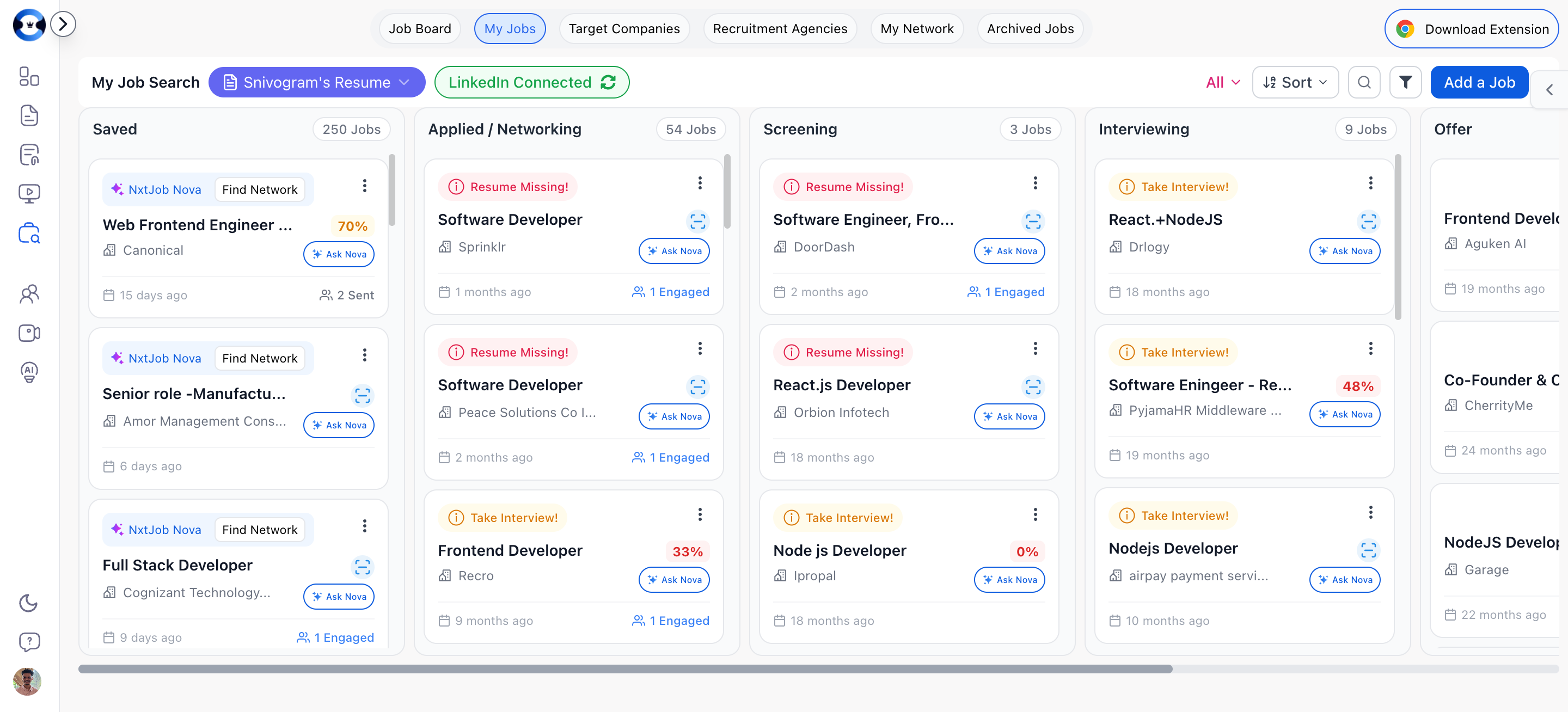
Navigation Structure
The Job Board uses a tab-based navigation at the top of the page:- Recommendations — AI-curated job listings (Nova only)
- My Jobs — Your active job pipeline
- Target Companies — Companies you are targeting
- Recruitment — Recruitment agencies you are working with
- My Networks — All your networking connections
- Archived — Jobs removed from the active pipeline