
What Are Target Companies?

Target Companies is a dedicated board for companies you want to work at, even if they do not have a specific job posting that matches your role yet. Instead of waiting for a listing to appear, you can proactively track companies, research their teams, and start building connections. Each target company is displayed as a card with quick actions for networking, job exploration, and AI-powered insights.
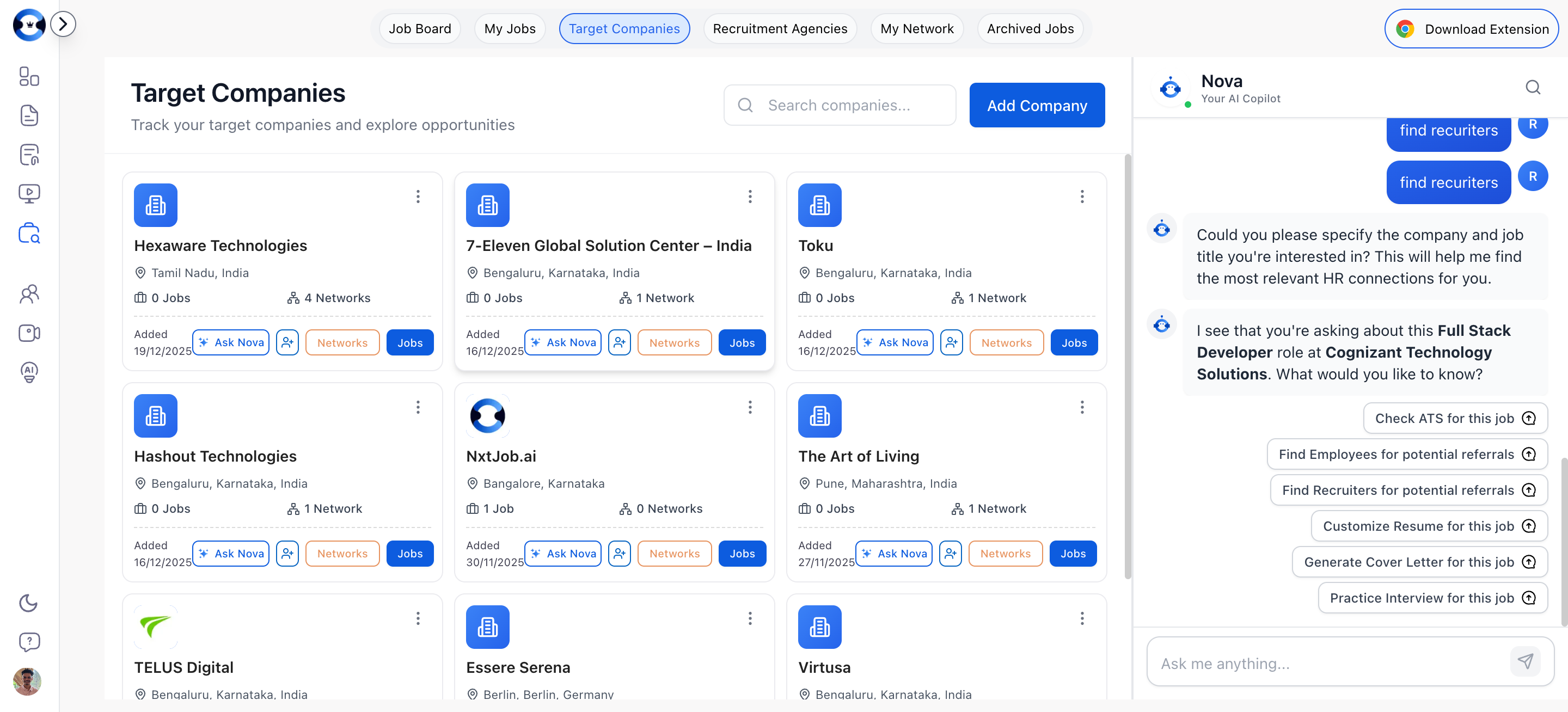
Target Companies board showing company cards with action buttons

Adding a Target Company

Adding Manually

1

Click Add Company

Click the “Add Company” button at the top of the Target Companies page. A dialog opens with a form.
2

Fill in company details

Complete the form:
  • Company Name (required) — The company’s official name
  • Location (optional) — Where the company or your target office is located
  • Company Website (optional) — The company’s website URL
  • Industry (optional) — e.g., Technology, Finance, Healthcare
  • Employee Count (optional) — e.g., “100-500”, “1000+”
  • Company Description (optional) — A brief note about why you are targeting this company
3

Save

Click Add Company to create the card. It appears on your Target Companies board immediately.

Adding via Chrome Extension

When browsing a company’s LinkedIn page, use the NxtJob Chrome Extension to save the company directly to your Target Companies list. The extension pulls the company name, description, and basic information automatically. See Networking Features for the full walkthrough on adding companies from LinkedIn.

Company Card Actions

Each target company card provides quick actions:
ActionWhat It Does
JobsNavigates to your My Jobs board filtered to show only jobs at this company
NetworksNavigates to your My Networks board filtered to show connections at this company
Ask NovaOpens the AI assistant with this company’s context for research and insights (Nova only)
Find NetworkOpens the LinkedIn search to find employees and recruiters at this company (Nova only)
EditUpdates company information (name, location, website, industry, employee count, description)
DeleteRemoves the company from your target list (with confirmation)

Starting Networking for a Target Company

Click Find Network on any company card to open the Find Network dialog pre-populated with the company name. From there, you can search for employees or recruiters and send connection requests. People you connect with through a target company are added to your My Networks board and tagged as “Target Company” connections.

Searching Companies

Use the search bar at the top of the page to find companies in your list by name. The search filters your cards in real time.
Add 10-15 target companies at the start of your job search, even before you see open roles. Building connections at these companies early means you will be first in line when a position opens. Proactive networking is what separates senior professionals who land roles in 60 days from those who search for six months.